
Jigsaw LabAppsKids
Kidos - Safe Search
The safer way for children to search.
A child-friendly search engine and browser. Safe search stays locked on, ads and trackers are blocked, and parents stay in charge with a PIN.

Screenshots
See it in use
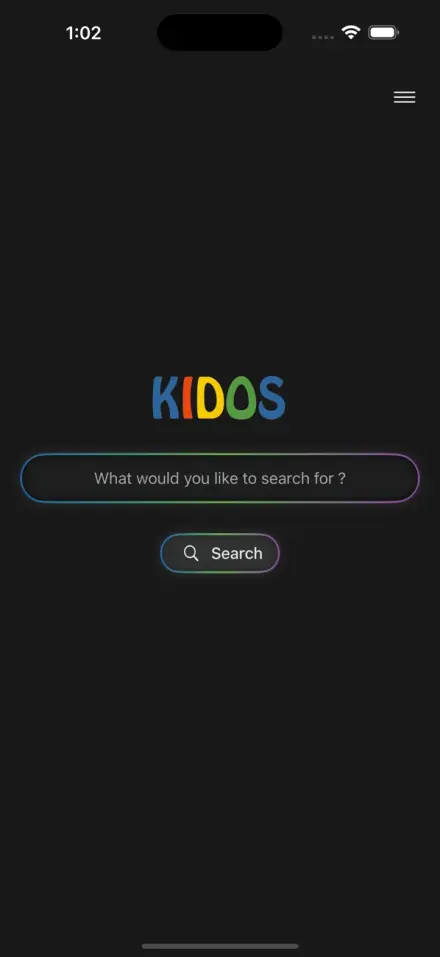

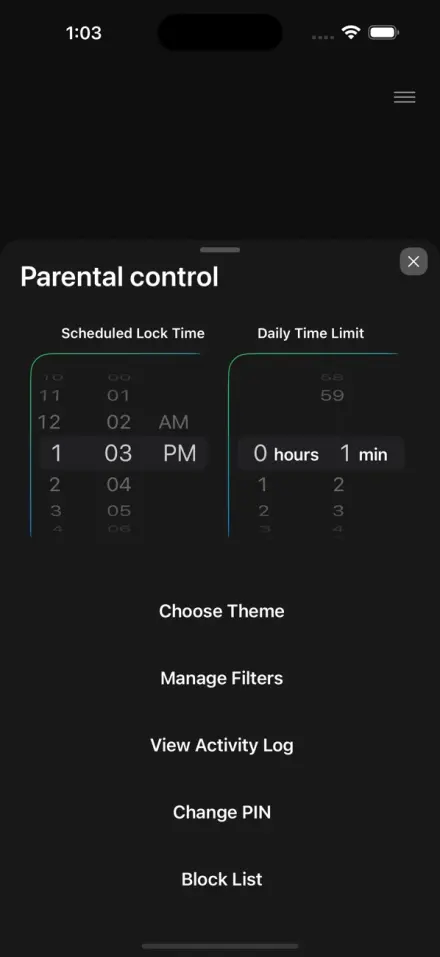


Screenshots from the app's App Store listing.
Key features
What it does
Safe search locked on
Adult and violent results are filtered out, and the setting cannot be switched off without the PIN.
Ads and trackers blocked
Pages load clean, with big type and large thumbnail previews.
Kid-friendly video
Video is kept to kid-friendly channels, with no autoplay and no comments.
Parents in charge
A 4-digit PIN locks settings, site lists and the filter. Set a daily time allowance and a bedtime.
Your own site lists
Add any site to an always-allowed or never-allowed list, and read every search in the activity log.
Learning built in
16 educational games across Maths, Spelling, Puzzles and Science, daily quests and badges.
Details
The facts
- Platforms
- iPhone and iPad, iOS 18.0 or later
- Languages
- English, Arabic, French, German, Spanish and 28 more languages on the App Store.
- Price
- Free to download.
- Category
- Education (App Store)
- Age rating
- 4+ on the App Store
- Latest version
- 3.7, updated September 2026
- History
- On the App Store since September 2019.
FAQ
Questions
Can my child switch safe search off?
No. Safe search stays locked on, and settings, site lists and the filter are behind a 4-digit parent PIN stored in the device keychain.
Can I limit screen time?
Yes. You can set a daily time allowance and a bedtime for school nights and weekends.
Is Kidos free?
Free to download.
Which devices does it run on?
iPhone and iPad with iOS 18.0 or later. It is not on Google Play at the moment.
Which languages does it support?
English, Arabic, French, German, Spanish and 28 more languages on the App Store.
How do I get help?
Email [email protected] and tell us your device and what happened. A person on the team replies.
Get Kidos